How to Use Bid Industry – Step-by-Step Tutorials
Discover how to get the most out of Bid Industry with our easy-to-follow tutorials. Whether you're looking to sell industrial equipment or place competitive bids, these guides walk you through every step — from creating your account to finalizing a transaction.
🚀 Maximize your success and reduce friction in your selling journey by mastering all the tools available on Bid Industry.
❓Need help with something not covered here? Contact our team for personalized support.
How to Use Bid Industry Step by Step
Wondering how to use Bid Industry? Our platform is designed to make industrial equipment auctions simple and effective. Whether you're a seller or buyer, this guide will show you exactly how to use Bid Industry in just a few minutes.
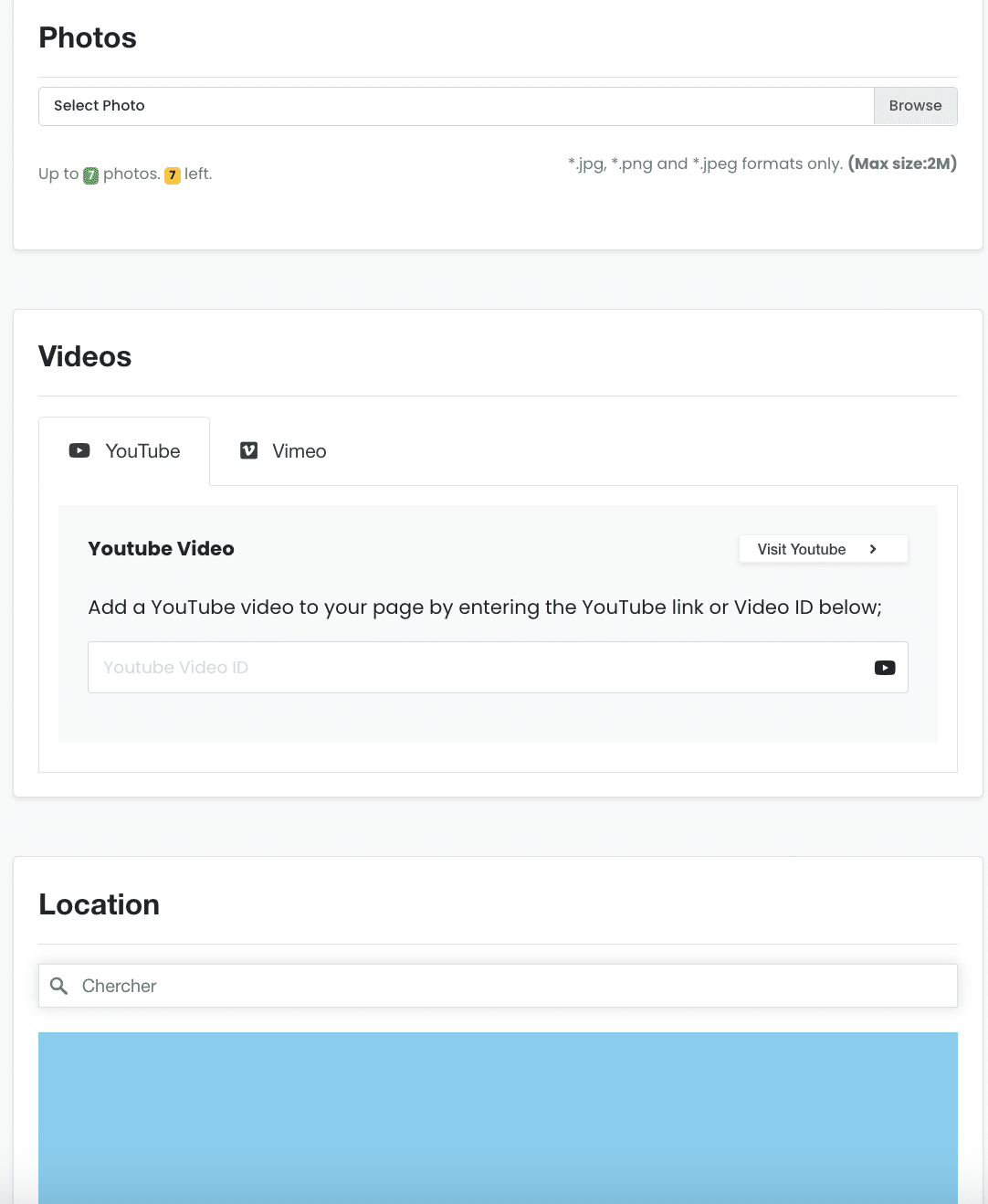
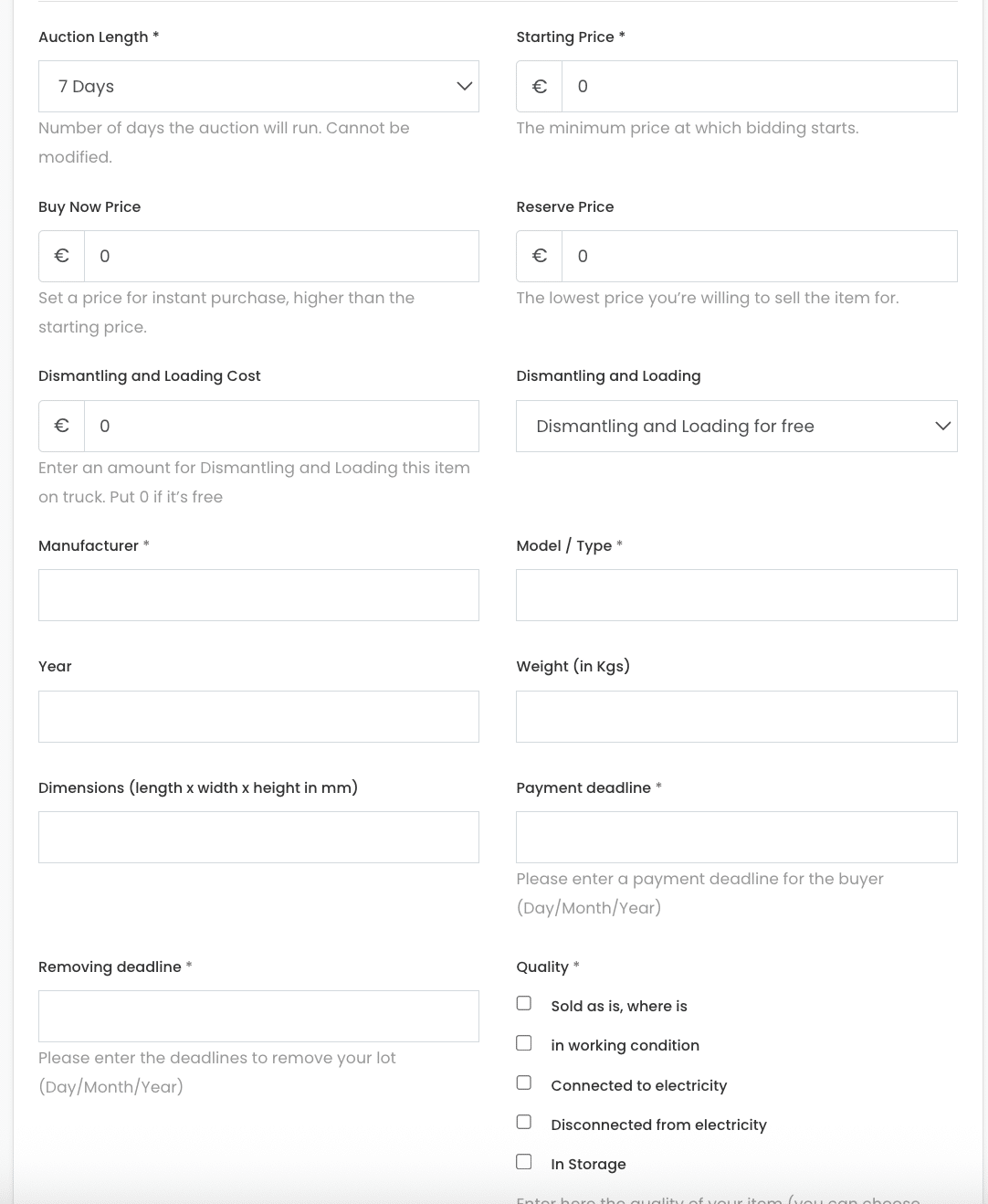
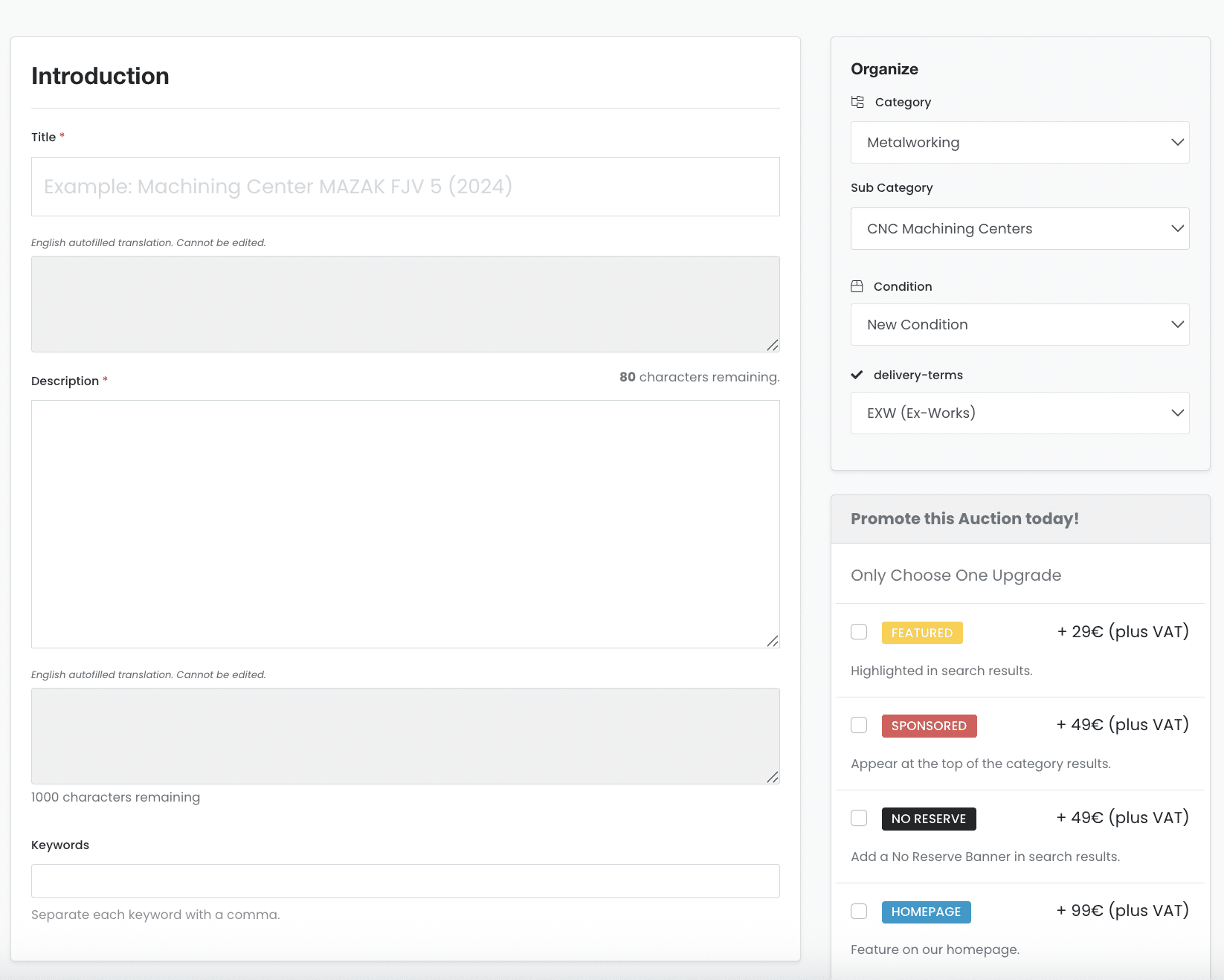
Auction duration depends on your membership plan (7, 14 or 30 days) and includes automatic translation for worldwide visibility 🌍, the ability to upload photos and youtube videos 📷, set an exact map location 📍, define starting and reserve prices 💶, choose a “Buy Now” option, configure payment and removal deadlines 🗓️, select condition, category, and subcategory — everything to ensure a complete and professional listing.
From creating an account to posting your first listing or bidding on machinery, learning how to use Bid Industry is easy.
Watch the videos below or follow our written tutorials for step-by-step support.
Choose your path
Start with a free account. Then follow the flow that matches your goal: selling or bidding.
- Create a free account
- Publish a lot (photos, location, reserve, deadlines)
- Chat with buyers and finalise the transaction
- Create a free account
- Place bids or use Auto Bid to set a maximum
- Confirm payment and plan collection with the seller
FAQ – How to Use Bid Industry
📝 How do I post my first auction?
First create an account. Go to “Add an Auction”, fill in the item details (photos, description, price, condition, deadline) and submit. It takes less than 5 minutes.
📷 How many photos can I upload?
Photo limits depend on your plan (from 3 up to 20 per listing). We recommend high-quality, well-lit images for better visibility and buyer trust.
🌍 Is the platform multilingual?
Yes! All your listings are automatically translated so buyers from across Europe and beyond can understand your offer.
💳 When and how do I get paid?
After the auction ends, the seller sends an invoice with payment details and a payment deadline. Once the buyer pays, the seller confirms receipt and coordinates collection/removal based on the agreed deadline.
📦 Can I offer dismantling or transport?
Yes, during setup you can indicate if dismantling/loading is free or charged. This appears directly in the listing.
⚙️ How do fees work?
Bid Industry is subscription-based. Buyer & seller fees depend on your plan (10% / 7% / 5% / 0%). You can start for free and upgrade anytime. Compare plans here.
ℹ️ Looking for more answers? Visit our full FAQ page here.
🚀 Looking to recruit industrial & tech talent for your company? Visit our dedicated job platform: Job Industry.